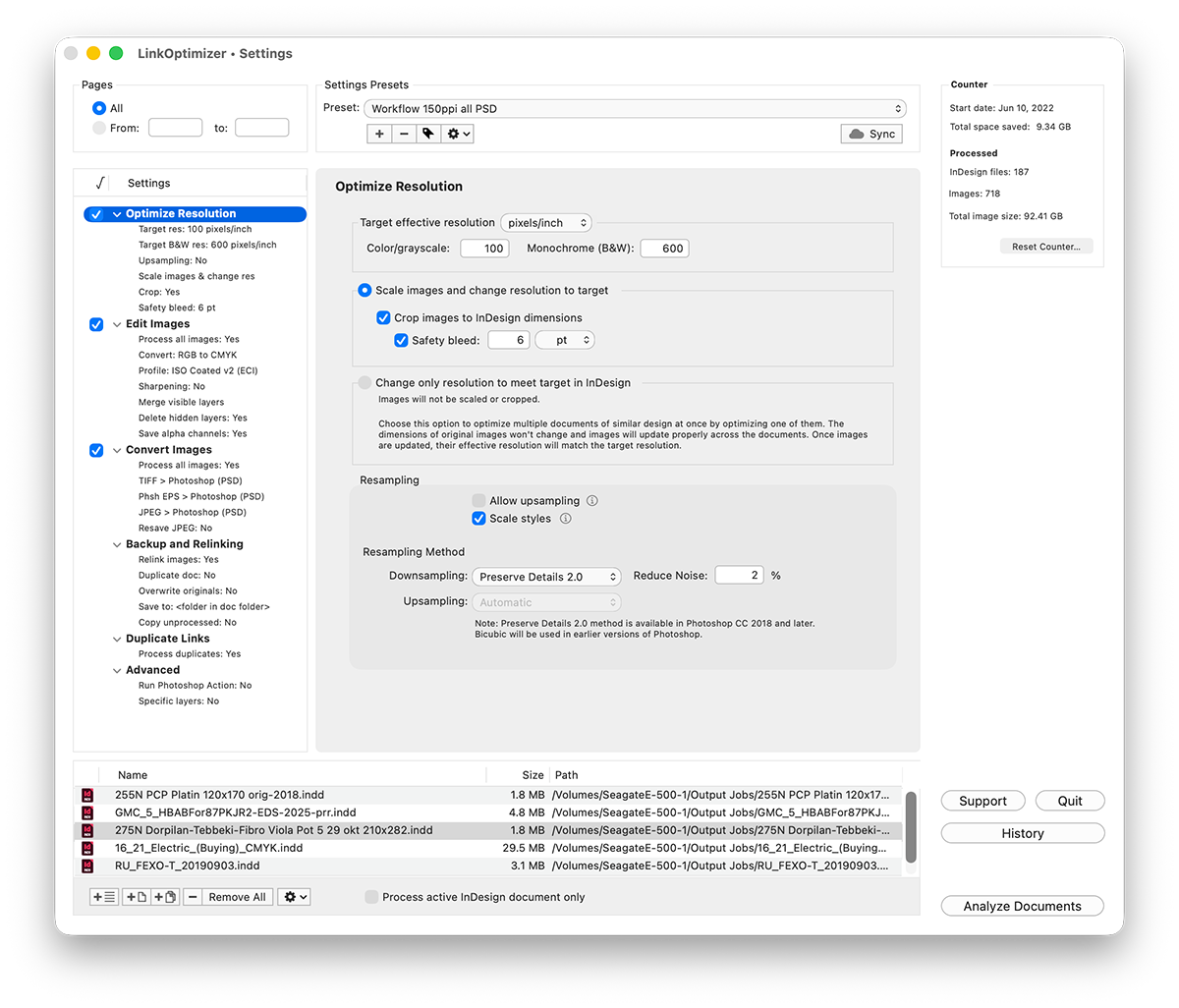
Zevrix Solutions releases LinkOptimizer 7, a major upgrade to its workflow automation tool for Adobe InDesign. LinkOptimizer saves users hours of manual processing. The upgrade adds link packaging to a single folder with unified naming convention.
(WorldFrontNews Editorial):- Toronto, Ontario Jun 21, 2026 (Issuewire.com) – Zevrix Solutions Zevrix Solutions today announces the release of LinkOptimizer 7, a major upgrade to the company’s image workflow automation solution for Adobe InDesign. LinkOptimizer liberates InDesign users from wasteful repetitive tasks through automation of complex image processing that involves precise replacement of images after their editing in Photoshop.
The new version introduces an array of new capabilities that help users shorten their file preparation cycles and simplify workflow management :
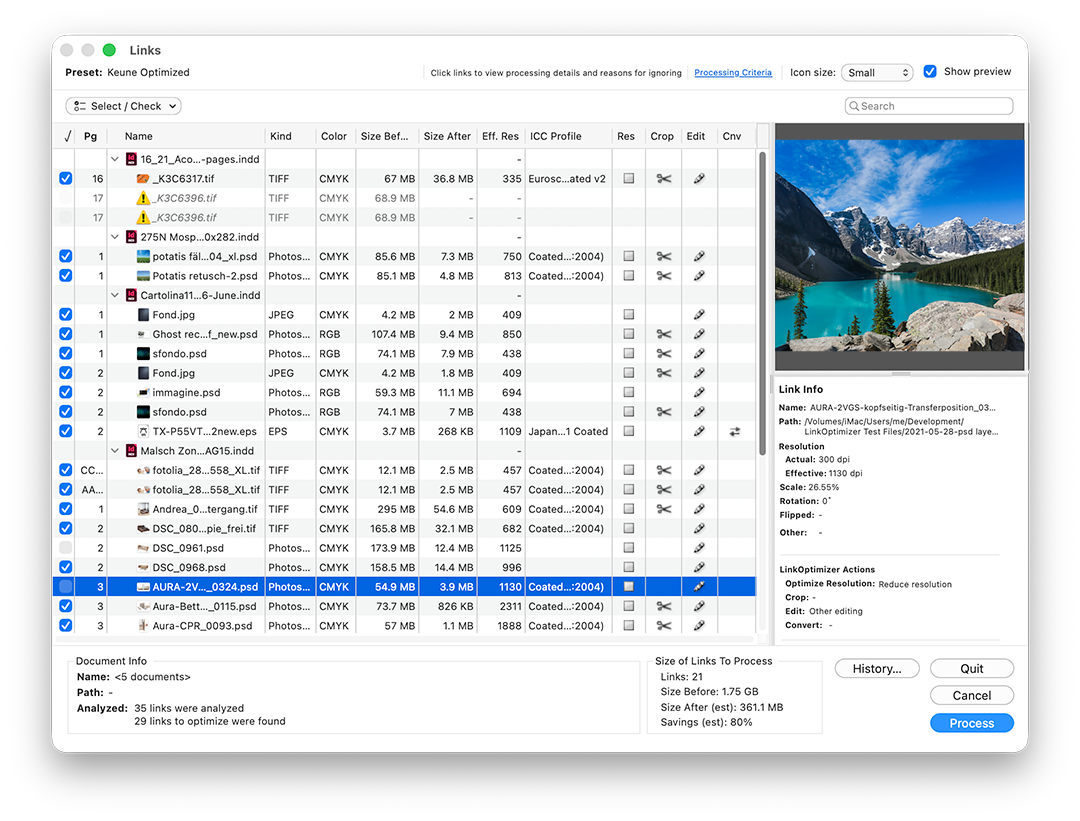
–Collect all document links in one folder: unprocessed links can now be copied alongside optimized ones during processing.
-Renaming options can now apply to unprocessed links too, so every file follows the same naming convention after processing.
-New list management controls that lets users check, uncheck, or invert the link selection, helping fine-tune which links get processed.
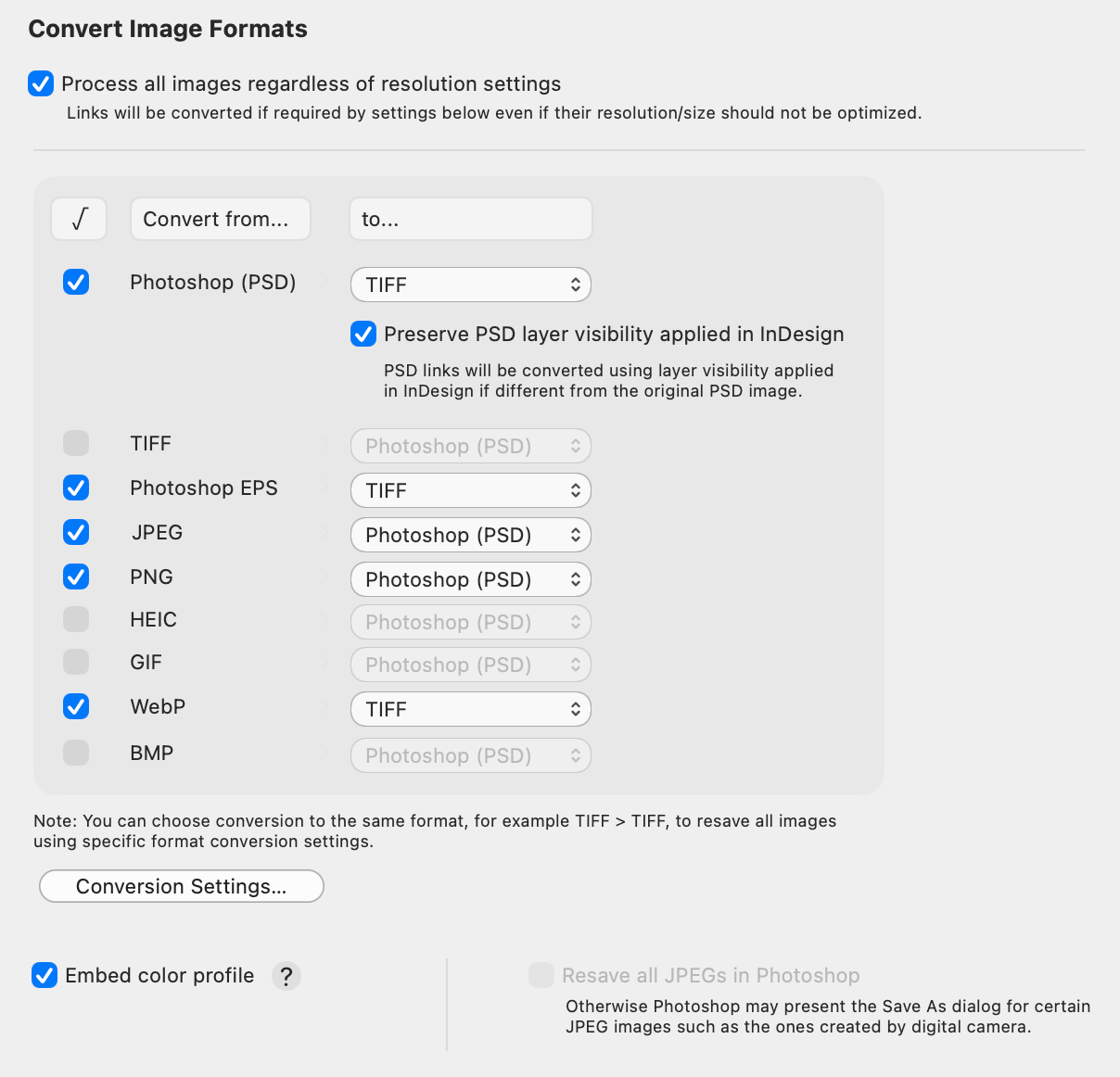
–WebP links can now be processed and converted to different formats.
-Duplicate Links settings now have their own dedicated panel, making them easier to view and configure.
The upgrade also adds numerous other enhancements such italic font for ignored links for easier recognition; a warning dialog before deleting presets; info popovers for control descriptions; plus under-the-hood improvements for faster processing.
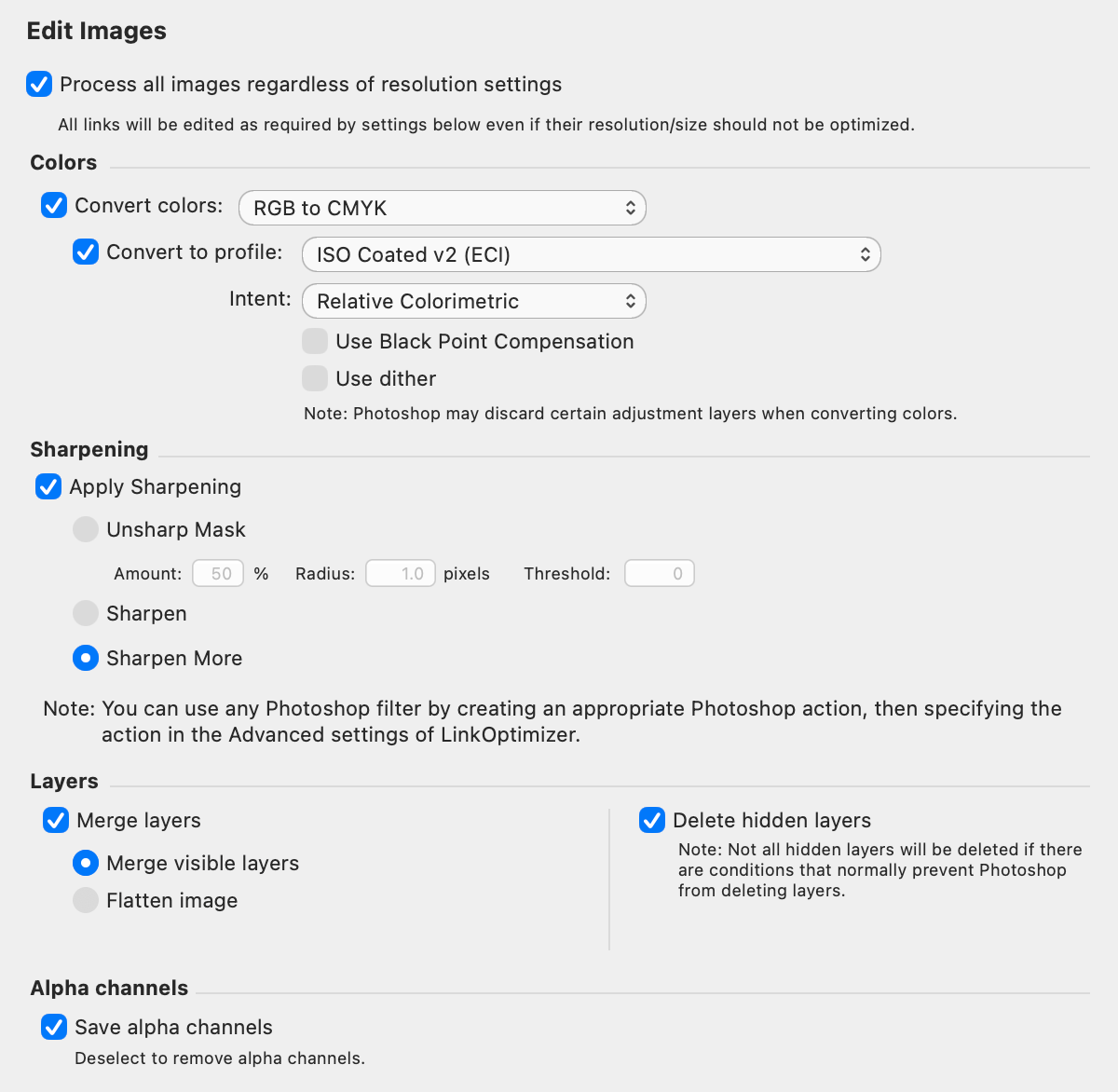
LinkOptimizer works automatically with Photoshop to perform essential image adjustments, convert image formats, and eliminate the excess image data of InDesign links. For example, with just a button click users can:
–Process dozens of InDesign files
-Change image resolution to 300 dpi
-Scale and crop images to match their dimensions in InDesign
-Resave PNG files as TIFF
-Convert RGB images to a CMYK profile
-Run a Photoshop action on each image.
As a result users can save countless hours of optimizing images manually and gigabytes of disk space, accelerate document output, reduce job turnaround, and cut costs through faster processing.
Pricing and Availability:
LinkOptimizer can be purchased from Zevrix website for US$259.95 (Lite version: $179.95) as well as from Adobe Exchange and authorized resellers. Trial is also available for download. Licensed users of earlier versions can upgrade to LinkOptimizer 6 for $130 (Lite version: $90). The upgrade is free for users who purchased LinkOptimizer 6 after April 1, 2026. LinkOptimizer requires macOS 10.12-27 and Adobe InDesign / Photoshop CS6-CC 2026.
About Zevrix Solutions
Located in Toronto, Canada, Zevrix Solutions provides productivity solutions for Adobe Creative Cloud software, PDF and graphic file diagnostics, as well as Microsoft Office on macOS. Zevrix Solutions is dedicated to helping professionals increase their profits through automating their everyday tasks, producing error-free documents, saving disk space and cutting production costs. For more information, visit www.zevrix.com.